Creating the perfect programming desk setup can feel like a daunting task. Finding that sweet spot to boost both creativity and focus is essential, especially for those who spend hours coding. That’s why I put this post together. You deserve a space that inspires you and helps you tackle your tasks without distraction.
If you’re a coder, a remote worker, or anyone who loves to spend time at a desk, this post is made for you. You care about your workspace and how it can impact your productivity. From enhancing comfort with an ergonomic desk design to discovering new ways to organize your home office, the right setup can make all the difference.
In this guide, you’ll find 17 unique programming desk setup ideas that can elevate your focus and efficiency. Whether you lean towards a minimalist desk setup or prefer a vibrant tech haven, you’ll discover practical tips that are easy to implement. Let’s dive into creating a workspace that truly works for you!
[link-whisper-related-posts]Key Takeaways
– A well-organized programming desk setup fosters better focus and productivity for long coding sessions.
– Incorporating ergonomic desk design can reduce strain and improve comfort while working.
– Elements like plants or nature-inspired decor can enhance creativity and create a calming atmosphere.
– Personal touches, such as inspirational quotes or themed decor, can motivate you during challenging tasks.
– Emphasizing home office organization through functional furniture and color-coded systems can streamline your workflow and keep distractions at bay.
1. Minimalist Magic

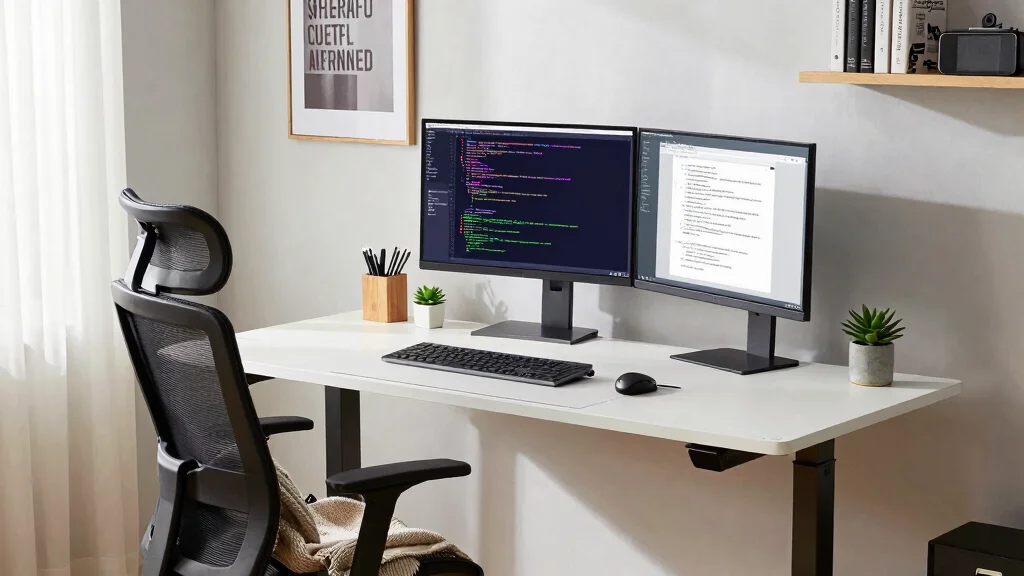
Embracing a minimalist desk setup can significantly enhance your focus by eliminating visual distractions. A simple desk with clean lines and a neutral color palette creates an atmosphere of calm. Pairing a single monitor with a wireless keyboard and mouse keeps the surface uncluttered, allowing you to concentrate on your tasks. Adding just a few essential elements like a notepad and a small plant introduces character without overwhelming the environment. This ‘less is more’ philosophy encourages a mindset that is purely focused on your coding endeavors.
To implement a minimalist design, consider these practical tips. You can choose monochromatic colors to maintain a cohesive look, or use cable management solutions to keep unsightly wires out of sight. Limiting personal items to just a couple of meaningful pieces can help you stay focused and organized.
Here are some ideas to maximize your minimalist setup:
– Pair a white desk with a single black monitor for contrast.
– Use sleek cable organizers to hide cords.
– Incorporate a minimalist clock to keep track of time.
This approach not only promotes a serene workspace but also enhances your overall productivity by allowing your creativity to flourish in a simple environment.
❝ Minimalist programming desk setup proves less is more: fewer distractions, sharper focus, and faster debugging. A single monitor, neutral tones, and a tiny plant spark calm, so your brain can code at its best. ❞

Improved Typing Posture: Type more naturally with a curved, split keyframe and reduce muscle strain on your wrists and forearms thanks to the sloping keyboard design
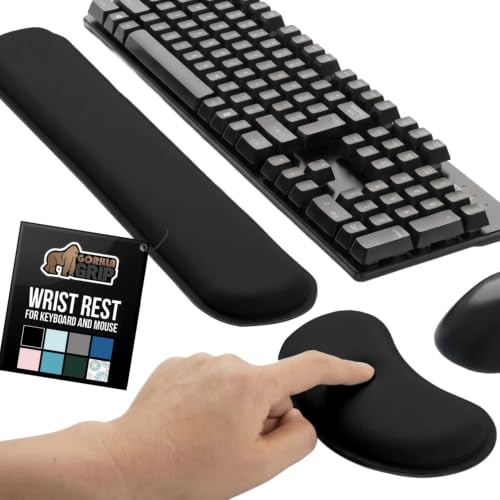
ULTRA THICK MEMORY FOAM: experience more comfort while you work; thickest memory foam interior of the wrist rest features an ergonomic, slow rebound for more comfort than ever; inner foam measures nearly 1.2 inches thick; you’ll never want to work without this rest ever again

✔High Quality --- Made of memory foam, superfine fiber, smooth & breathable, The soft gel-filled cushion conforms to your wrist for maximum support, Keeps your wrist in a neutral position for ergonomic comfort.
2. Ergonomic Excellence
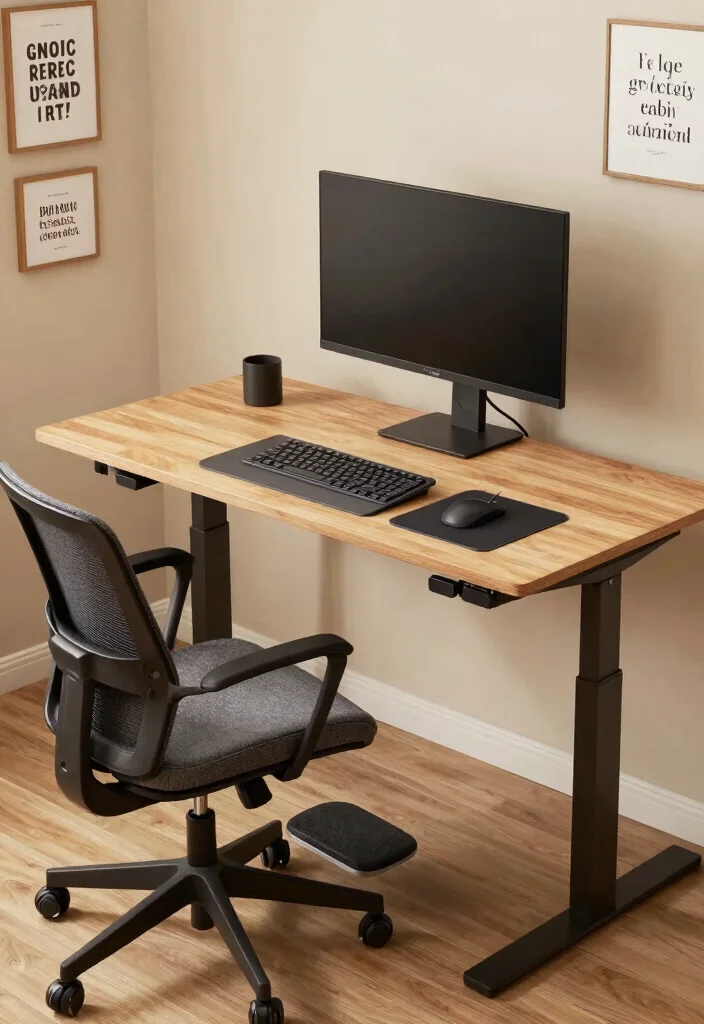
Prioritizing ergonomics in your workspace can drastically enhance both comfort and productivity. Opt for an adjustable chair that provides lower back support, paired with a height-adjustable desk for the perfect fit. Positioning your monitor at eye level helps prevent neck strain, while keyboard trays can ensure your wrists maintain a comfortable alignment. Regular breaks and incorporating standing time into your routine are essential for sustaining energy.
To enhance your ergonomic setup, consider these practical tips. Keep your feet flat on the ground or use a footrest to maintain good posture. Maintaining a 90-degree angle at your elbows while typing can prevent discomfort during long coding sessions. You might also explore a standing desk converter to add variety to your work routine.
Here are some ergonomic tips to follow:
– Choose a chair with lumbar support for comfort.
– Set your desk height to match your elbow position.
– Use wrist supports to reduce strain while typing.
Creating a workspace that nurtures your body allows for sustained focus, enabling you to tackle coding challenges without discomfort.
Fun fact: An adjustable chair and height-adjustable desk can cut neck strain by up to 60% and boost ergonomic comfort by 20%. For a smarter programming desk setup, keep your monitor at eye level and schedule short breaks every hour.

【No Drill Mounted】Cable management tray can be assembled in as little as 3 minutes or less-simply. Side clips easily clampe the edge of desk, pass through the holes on the sides, and secure excess cables with baskets. Desk cable management supports inward or outward installation to meet your needs in different scenarios, and provides you with great convenience when collecting and organizing wires.

【Widely Usage】If you plan to use the self-adhesive cable ties on a wall, please apply the product first without securing the cables. Wait 24hours before attaching the cables. This is because wall surfaces are typically rough, and the adhesive needs time to fully bond with the surface. Glue is very sticky and may cause wall paint to peel off. When using it on walls, please think twice before applying.

No Need to Drilling Holes - Instead of damaging to your desk, our under desk cable management tray can be hanged directly to desk frames and change its position easily as you like, unlike others screw installation. It Excellent to install a clamp on any wood, glass, or any material on your desk.
3. Nature-Inspired Workspace
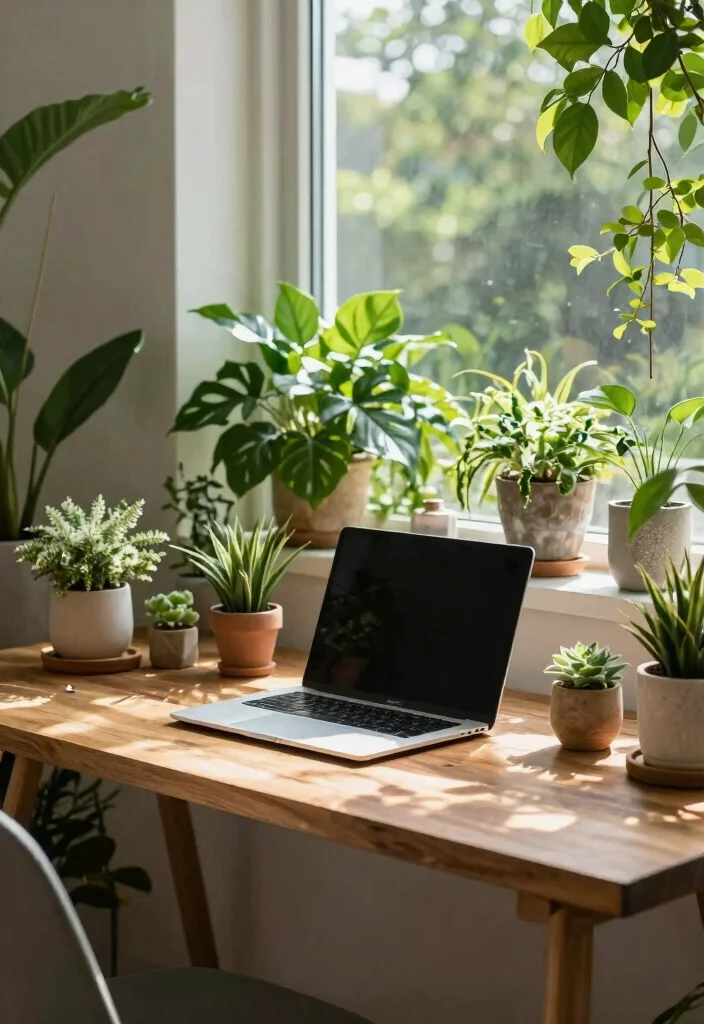
Incorporating nature into your workspace can significantly elevate your mood and enhance concentration. A desk adorned with plants not only purifies the air but also adds a refreshing aesthetic. Consider low-maintenance plants like succulents or pothos that thrive in various lighting conditions to make upkeep easy. Using wooden furniture elements enhances the natural feel of the space, creating a calming environment perfect for focused work.
To bring the outdoors in, try these implementation tips. Utilize natural light whenever possible to brighten your workspace. Incorporating earthy tones in your decor can create a grounded vibe, while choosing furniture made from reclaimed wood supports sustainability.
Here are some nature-inspired ideas to consider:
– Use large potted plants near your desk for a lush look.
– Choose a wooden desk to enhance the natural feel.
– Hang nature-themed artwork to inspire creativity.
This setup is ideal for those who find peace and motivation in nature, ultimately enhancing both focus and creativity.

Screen Compatibility: Universally compatible with most 17-inch to 32-inch flat and curved screens weighing from 4.4 lbs to 19.8 lbs each with VESA 75x75mm or 100x100mm mounting patterns

Compatible with Wide Screens - To ensure compatibility with the dual monitor mount, your each monitor must meet three conditions at the same time: First, computer screens size range: 13 to 32 inches. Second, screen weight range: 4.4 to 19.8 lbs. Third, the back of the monitor screen must have VESA mounting holes with a pitch of 75x75mm or 100x100mm.

Wide Compatibility: The Perlegear dual monitor stand is compatible with most 13″–32″ flat or curved screens weighing up to 22 lbs and supports VESA mounting patterns of 75 x 75mm or 100 x 100mm. Please check the size, weight, and VESA pattern of your monitors before purchase.
4. Tech Haven
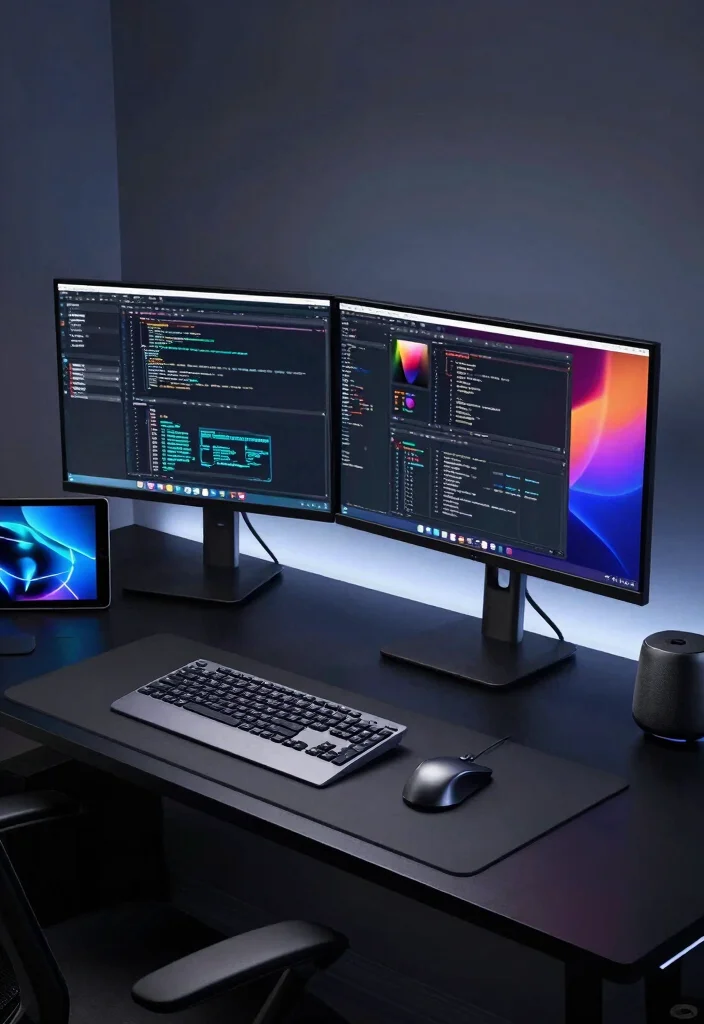
For tech enthusiasts, designing a high-tech workspace can be incredibly stimulating and inspiring. Incorporate the latest gadgets and devices to enhance functionality and efficiency. A dual-monitor setup can improve multitasking, while customizable keyboards and smart lighting systems that adapt to your routines will elevate your workspace. A clean cable management system keeps your tech organized, reducing distractions.
To maximize your tech haven, consider these practical tips. Invest in a quality webcam and microphone for clear virtual meetings. Utilizing project management software and coding collaboration tools can streamline your workflow. Exploring programmable keypads will help you automate repetitive tasks, making your work easier.
Here are some tech tips to implement:
– Set up a dual-monitor display for increased productivity.
– Use smart lighting to adjust brightness based on your tasks.
– Keep essential tech tools within reach for convenience.
This tech-infused workspace can spark creativity and equip you with the necessary tools to tackle complex coding challenges.

Space-Saving: The design of 5 compartments provides enough storage capacity without taking up a lot of desktop space. This 5*3.8 inch pen holder can be placed anywhere in the office, kitchen, bedroom, and living room

Mesh Pen Holder for Desk: Multipurpose 3 compartments desk organizer (8*4*4in), Suitable for storing pens, pencils, scissors, sticky notes, paper clips, etc. Keep your desk tidy and organized.

Large Capacity and Easy Sorting: This pen holder has three adjustable compartments that can be combined to fit variously sized desk accessories. You can sort pens, rulers, makeup brushes, art supplies, etc. Dimensions: 6.9 x 3.15 x 3.54 inches.
5. Color Pop
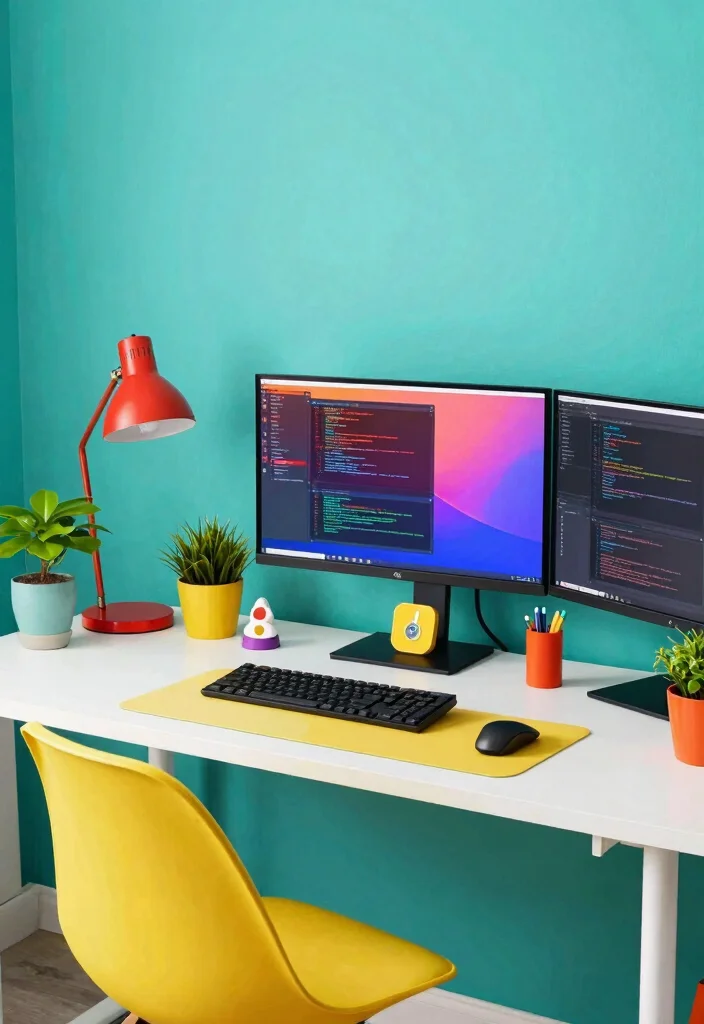
Incorporating vibrant colors into your workspace can uplift your mood and stimulate creativity. Whether it’s a bold accent wall or colorful desk accessories, the possibilities are endless. Experimenting with different color combinations, such as a striking red chair or a bright blue desk mat, can inspire you daily. Be mindful of color psychology; certain hues can enhance focus while reducing stress.
To effectively use color in your workspace, consider these implementation tips. Opt for cool colors like blue and green for a calming effect, while warm colors like yellow and orange can energize your space. Balancing bright colors with neutral tones ensures that your workspace remains inviting without being overwhelming.
Here are some color tips to brighten your space:
– Add colorful artwork to your walls for inspiration.
– Use vibrant desk organizers to keep supplies in check.
– Choose colorful plants to bring life to your desk.
This lively color infusion can transform your workspace into an energetic haven, encouraging a productive atmosphere.
Fun fact: Color psychology studies show color can boost productivity by up to 12% in office tasks. Red can energize and sharpen focus, blue calm and improve deep work—perfect for a programming desk setup.

Gift-Friendly Size: Measuring 2.5 inches high, 3.15 inches wide, with an internal depth of 2.0 inches, this planter is a thoughtful small gift that suits coworkers, friends, or family who enjoy plants and home accents.

【DESIGN】Artificial Flower Plants are well-designed, Composed of 1 flower ball and several flowers, the bottom is proportioned by a number of green leaves. Bright colors and generous style, perfect for the discerning you!
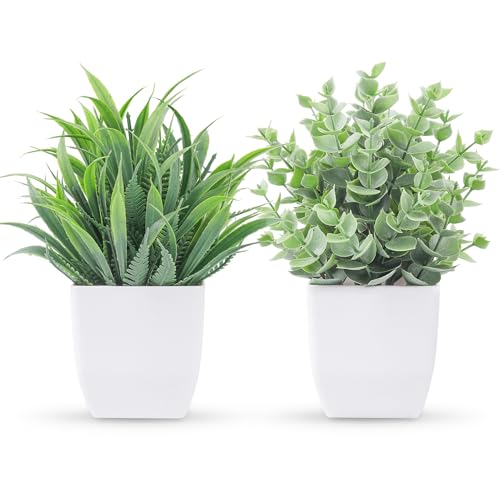
TWO DISTINCT PLANT STYLES: This 2-pack artificial potted plants includes a slim spiky grass and a round-leaf eucalyptus, creating a coordinated look without appearing identical. Display them together as a pair or separately throughout your space.
6. Cozy Corners
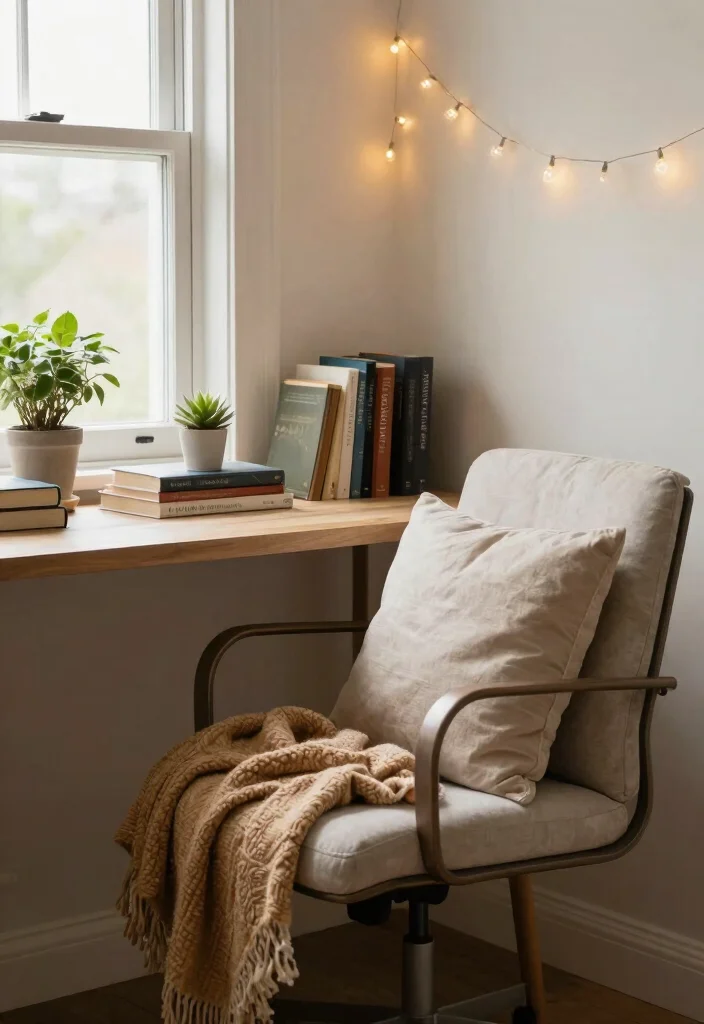
Designing a cozy corner for your programming desk can make those long coding sessions much more enjoyable. Soft cushions and warm throws invite comfort, creating a space where you can relax during breaks. A small reading nook nearby can inspire creativity with books on coding and technology. Incorporating soft lighting, such as fairy lights or a gentle lamp, helps foster a relaxing atmosphere.
To create your cozy corner, follow these practical tips. Select a spot in your home that receives good natural light for a brighter feel. Layer textures with rugs and blankets to add warmth, and keep personal items that remind you of your achievements close by.
Here are some cozy tips to enhance your space:
– Use a comfy chair for reading and breaks.
– Incorporate scented candles for a soothing ambiance.
– Hang photos that inspire you around your workspace.
This cozy approach not only adds a homely touch but also helps you tackle coding challenges with renewed energy.

[All-in-One Keyboard Stand Pad and Wrist Rest] This wrist rest for keyboard offers two tilt options (7° & 13.3°) for optimal ergonomic comfort. The angled design reduces strain on your wrists, forearms and elbows, helps treat and prevent carpal tunnel syndrome—perfect for long work or gaming sessions

【 Two Typing Modes 】 Ergonomic keyboard holder angle(3°/13°), can adjust wrist posture according to keyboard thickness, resulting in a more natural shoulder position, to help workdays go easier on you

【2-in-1 Keyboard Stand with Wrist Rest】Tired of constantly adjusting a misaligned wrist rest that slides out of place? Vaydeer keyboard wrist rest revolutionary one-piece design fuses the keyboard stand and wrist rest into a single, cohesive unit. This keyboard pad eliminates the frustrating gaps between your keyboard and cushion, ensuring a fluid typing motion without any interruptions.
7. Artistic Expression
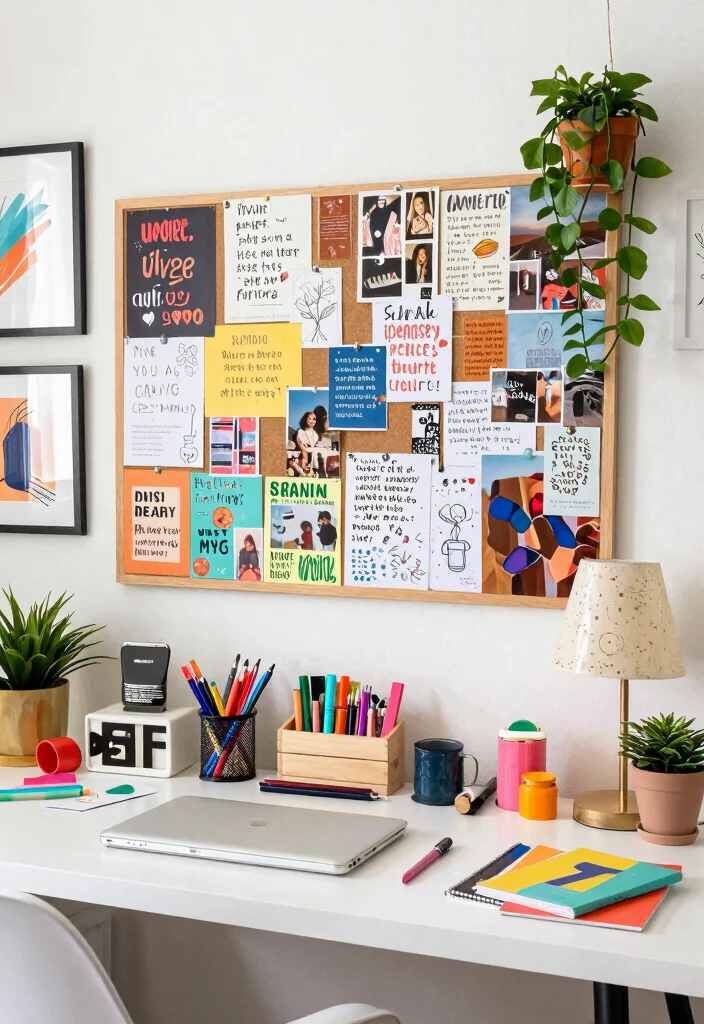
Integrating art into your desk setup can significantly enhance creativity while adding a personal flair. Displaying artwork or photographs that inspire you, alongside colorful stationery reflecting your style, can make your workspace uniquely yours. Consider creating a vision board on your wall, serving as both a motivational tool and an artistic statement. Encouraging creativity through art can lead to innovative coding solutions.
To effectively incorporate art into your workspace, keep these tips in mind. Frame your favorite quotes or artwork to keep them visible, and use vibrant stationery that excites you about your work. Regularly updating your vision board can help you stay aligned with new goals and inspirations.
Here are some artistic tips to enrich your space:
– Choose a gallery wall arrangement for your artwork.
– Use unique stationery items to express your personality.
– Change art displays seasonally for fresh inspiration.
This artistic setup fosters a creative environment, ideal for programmers looking to blend function with personal style.

Cable Management Kit: 4pcs Cable Sleeves( 20 in L x 0.4 in w), 20pcs reusable wire ties,35Cable Clips 11 Cord Holders, 2 Self Adhesive Cable Tie Rolls(The length of each roll is 118 in), 20Pcs Cable Zip Tie Mounts(3.54L*1.1in W),100 Cable Fastening Ties (size of every : 7.87in L x0.12in W)

【Effortless No-Drill Installation】This under desk cable management tray requires no tools or drilling—simply clamp it securely to any desk up to 2" thick. The adjustable clamp mount with soft rubber pads protects your desktop from scratches, making it ideal for home office and standing desk cord organization.
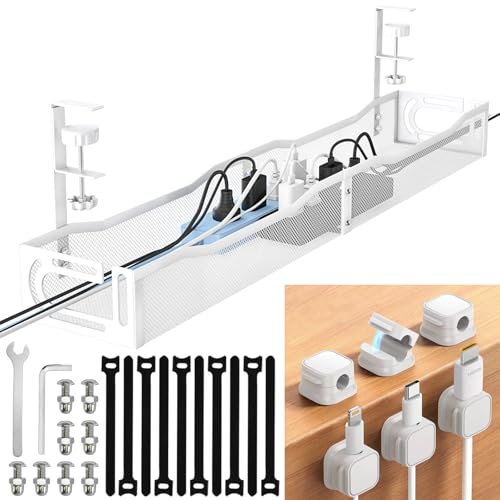
【NO DRILL & INSTANT CLAMP INSTALLATION】 Say goodbye to holes in your expensive desk. Our under desk cable management tray features a sturdy clamp-on design. No tools or screws required—simply tighten the desk clamp for a secure fit on any table or standing desk.
8. Soundscapes
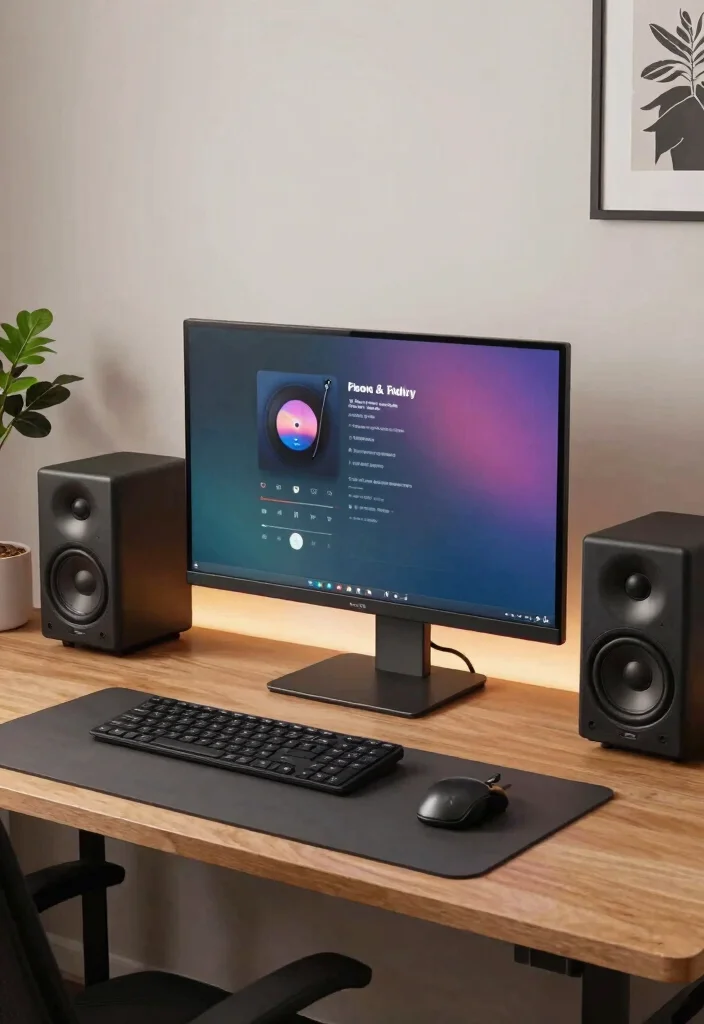
Sound plays a vital role in your focus, so consider incorporating elements that create a tranquil auditory environment. Investing in quality speakers or headphones can help you curate playlists that enhance concentration. White noise machines or apps can drown out distractions, especially in lively home settings. By creating a soundscape, you can transform your workspace into a focused sanctuary.
To optimize your sound environment, try these practical tips. Explore various music genres to find what elevates your productivity. Ambient sounds like nature or rain can also provide a calming backdrop. Adjusting your sound environment to match your tasks—upbeat for creativity, mellow for focus—can boost your efficiency.
Here are some sound tips to consider:
– Create playlists that suit different work moods.
– Use noise-canceling headphones for ultimate focus.
– Experiment with sound apps to enhance your atmosphere.
A sound-conscious workspace can shape the perfect atmosphere for deep coding sessions, helping you maintain focus and creativity.

Computer Compatibility - To ensure compatibility of the dual monitor mount, each of your monitors must meet three conditions: Firstly, screen size range: 13 to 32 inches. Secondly, screen weight limit: 17.6lbs. Thirdly, there must be VESA mounting holes on the back of the monitor screen that are spaced 75x75 mm or 100x100 mm apart. Please make sure that your monitor meets all of the above conditions before purchasing, if you are still unsure, you can seek help from customer service.

DUAL MONITOR STAND RISER FOR CUSTOMIZED DESK SETUPS: Create an optimized dual-screen workspace with a 31.5"-42.5" expandable design. The swivel side shelves support straight, angled or corner layouts, giving you flexible options for different monitor arrangements in home office, work from home and gaming setups.

DUAL MONITOR STAND WITH ADJUSTABLE LENGTH & ANGLE - This dual monitor stand riser adjusts from 31.5" to 42.5" to fit smaller or larger desks. The swivel side shelves support straight, angled or corner layouts, making it a flexible monitor stand for desk, computer monitor stand and workspace organizer for home office, work from home and gaming setups
Cost Breakdown & Budget Planning
Creating a programming desk setup that enhances focus is essential for productivity. Understanding the costs involved can help you make informed decisions. Let’s break it down into manageable categories and budget tiers.
Cost Breakdown by Category:
– Materials/Products: Expect to spend between $200 to $1,200. This includes your desk, chair, monitor, keyboard, and accessories.
– Tools/Equipment: If you’re DIY-ing, tools like screwdrivers and a drill may cost around $50 to $200.
– Labor/Professional Installation: Hiring a professional can range from $100 to $500, depending on the complexity of your setup.
– Optional Extras: Consider adding décor, plants, or tech gadgets. This can add another $50 to $500, based on your taste.
Budget Tier Breakdown:
Basic Economy Tier $
– What’s included: This tier offers the minimum essentials: a simple desk, a basic ergonomic chair, and a standard monitor setup.
– Good for: New programmers or students just starting out.
– Limitations: You may miss out on advanced ergonomic features and aesthetic appeal.
Mid-Range Tier $$
– What’s included: This option includes a sturdy desk, a comfortable ergonomic chair, an adjustable monitor, and basic organizational tools.
– Good for: Coders who work long hours and want some comfort without breaking the bank.
– Best value for: Most people will find this balance between quality and cost ideal.
Premium Tier $$$
– What’s included: This tier includes high-end ergonomic furniture, multiple monitors, quality peripherals, and custom organization solutions.
– Good for: Professionals who spend hours at their desk and need the best support and functionality.
– Worth it if: You have a significant budget and prioritize your health and productivity.
Money-Saving Tips:
– Shop Sales: Look for discounts during major sales events or clearance sections for high-quality items at reduced prices.
– DIY Elements: Consider building parts of your desk setup. Simple projects, like a monitor stand or cable management, can save you money.
– Second-Hand Finds: Check local marketplaces or thrift stores for gently used furniture. You can find great deals on items.
– Minimalist Approach: Focus on the essentials. Reducing clutter and unnecessary gadgets can cut costs significantly.
Where to Splurge:
– Ergonomic Chair: Investing in a quality chair can prevent back pain and improve posture, making it worth the splurge.
– Monitor Setup: A high-resolution monitor or dual monitors can greatly enhance your coding experience and productivity.
– Desk Quality: A durable, adjustable desk can improve your work environment and support your health in the long run.
With this budget guide, you can design your programming desk setup in a way that optimizes focus and comfort. Assess your needs and choose the tier that works best for you. Whether you’re just starting out or looking to enhance your current workspace, planning your budget carefully will help you create a productive environment.

Space-Saving: The design of 5 compartments can be reasonably divided into storage areas. This 4.8*3.2 inch desk organizer can be placed anywhere in the office, vanity, bathroom, bedroom, and living room

GET ORGANIZED: The organizer can be used as a pen pencil holder,makeup brush organizer,scissor holder or to arrange any other office accessory for easy access makes your desk more organized.

Unique pen holder for desk with water ripple pattern,5 compartments and smooth rotating base for home office school. fit in with any decor for your desk or vanity
9. Functional Furniture
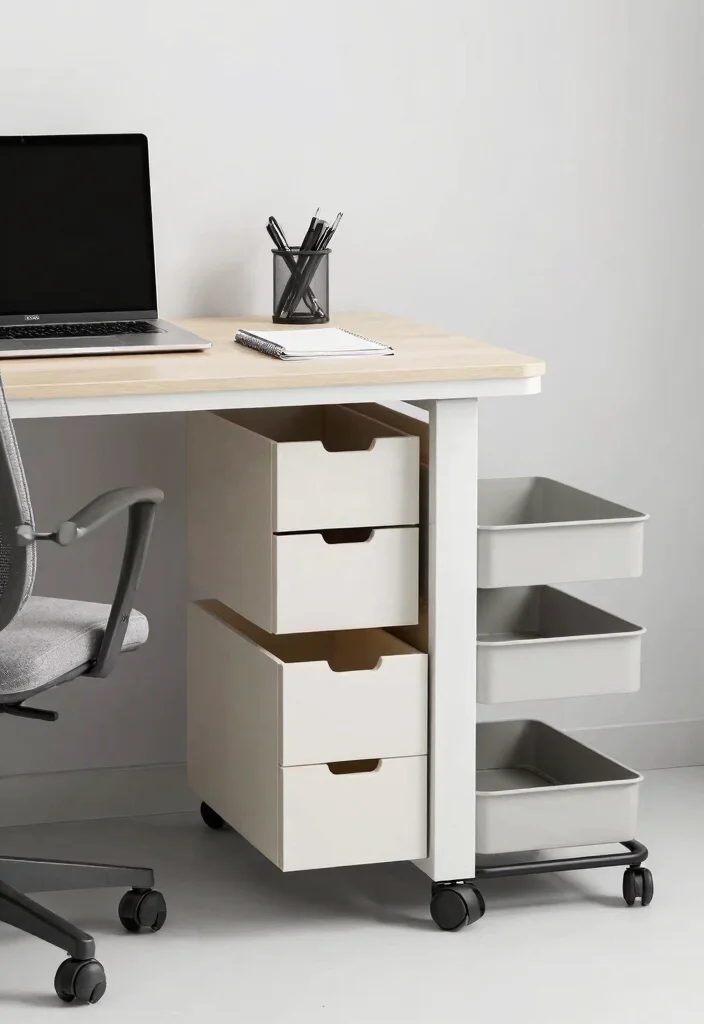
Incorporating multi-functional furniture into your workspace can dramatically enhance efficiency. Consider desks with built-in storage or seating that doubles as storage to ensure everything has its place. This organization makes it easier to maintain a tidy environment, allowing you to focus on your work. A movable cart can also serve as an extra workspace or storage, adapting to your needs as they change.
To maximize functionality, keep these furniture tips in mind. Choose a desk that fits your coding setup while providing additional storage options. Stackable or foldable chairs can add flexibility to your space. Consider organizers that blend into your aesthetic without overcrowding the area.
Here are some furniture ideas to enhance your setup:
– Opt for a desk with drawers for easy organization.
– Utilize under-desk storage solutions to save space.
– Incorporate a mobile cart for added functionality.
This practical approach to furnishing can significantly boost productivity by keeping your workspace decluttered and efficient.

Turn Bare Shelves Into Styled Corners: Worried your desk, shelf, or bathroom counter feels empty and unfinished? This 3 pack of small fake plants fills bare spots with soft greenery without crowding compact spaces. These small artificial plants stand about 7.5 inches tall with a 3 inch wide paper pulp pot, giving small surfaces a styled, finished look right away


Small Fake Plants: Safe and durable material, the eucalyptus leaves of fake plants are made of plastic. Vivid colors and realistic leaves making these fake plants more life-like and look natural. After receiving the fake plants, it is necessary to adjust the branches and trunks of the simulation plants to achieve a beautiful appearance
10. Personalized Zen
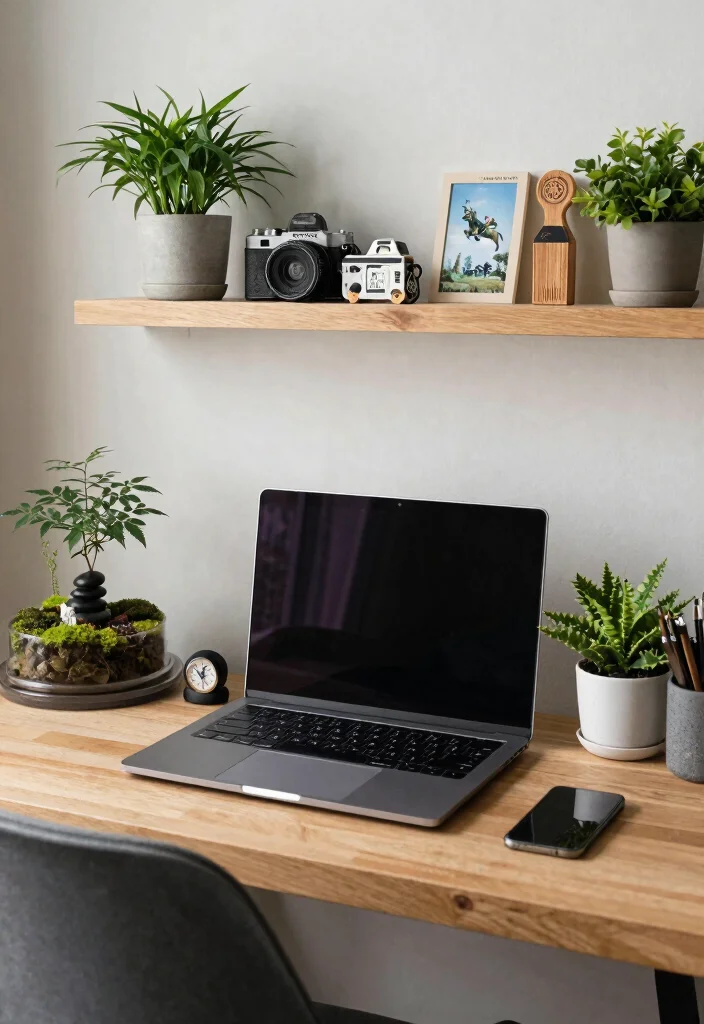
Infusing your personality into your workspace can create a sense of belonging and comfort. Decor that reflects your interests—be it plants, artwork, or travel mementos—adds a unique touch to your environment. Designing a zen corner with calming elements like a small water fountain or incense can also help reduce stress during intense coding sessions. The goal is to create a space that resonates with who you are.
To personalize your workspace, consider these tips. Use decor that aligns with your personal and professional aspirations, and rotate items regularly to keep your space fresh. Incorporating calming colors and textures can help soothe and inspire you.
Here are some personalization tips to enhance your space:
– Choose decor that speaks to your personal style.
– Create a rotating display of achievements and memories.
– Incorporate soothing elements like plants or soft fabrics.
This personalized approach transforms your workspace into a sanctuary where creativity can thrive.
11. Bright Lighting
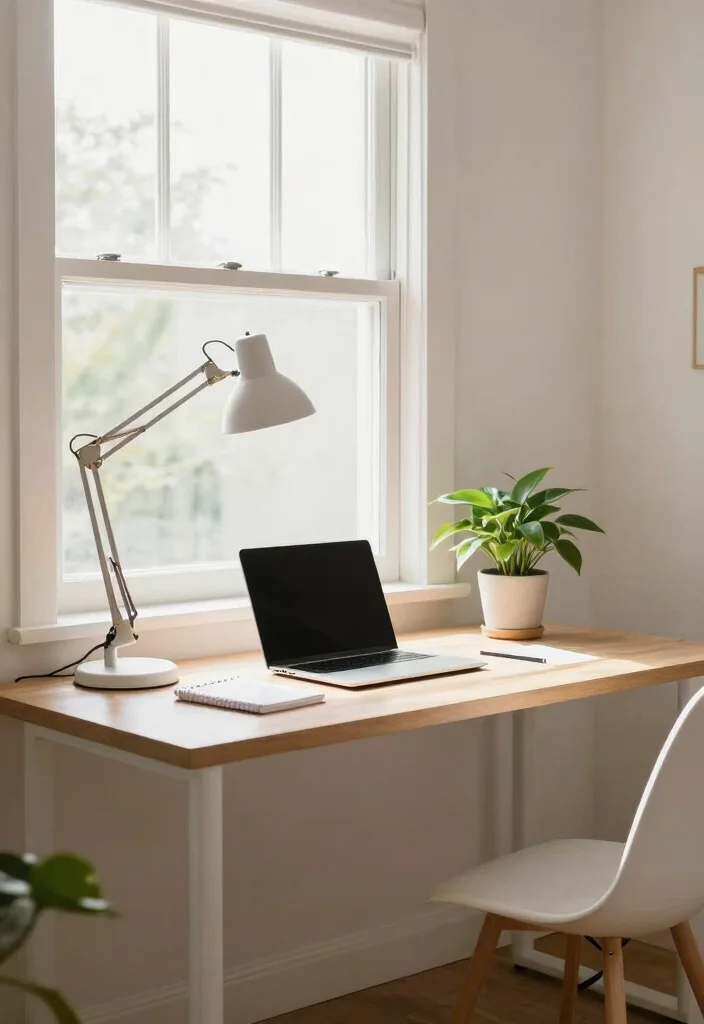
Lighting is essential for creating an inviting and efficient workspace. Combining natural light with bright task lighting creates a well-illuminated area that encourages productivity. Adjustable lamps can focus light where you need it most, reducing eye strain and improving your mood during long coding sessions. Good lighting is key to maintaining energy and focus.
To optimize your lighting, try implementing these tips. Position your desk near a window to maximize daylight, and use LED bulbs for energy efficiency and brightness. Opt for lamps with adjustable brightness to personalize your lighting according to your needs.
Here are some lighting tips to brighten your workspace:
– Utilize natural light whenever possible for a cheerful vibe.
– Choose energy-efficient bulbs to save on electricity costs.
– Incorporate task lighting for focused work areas.
A well-lit workspace can significantly enhance productivity and focus, paving the way for successful programming.
12. Organized Chaos
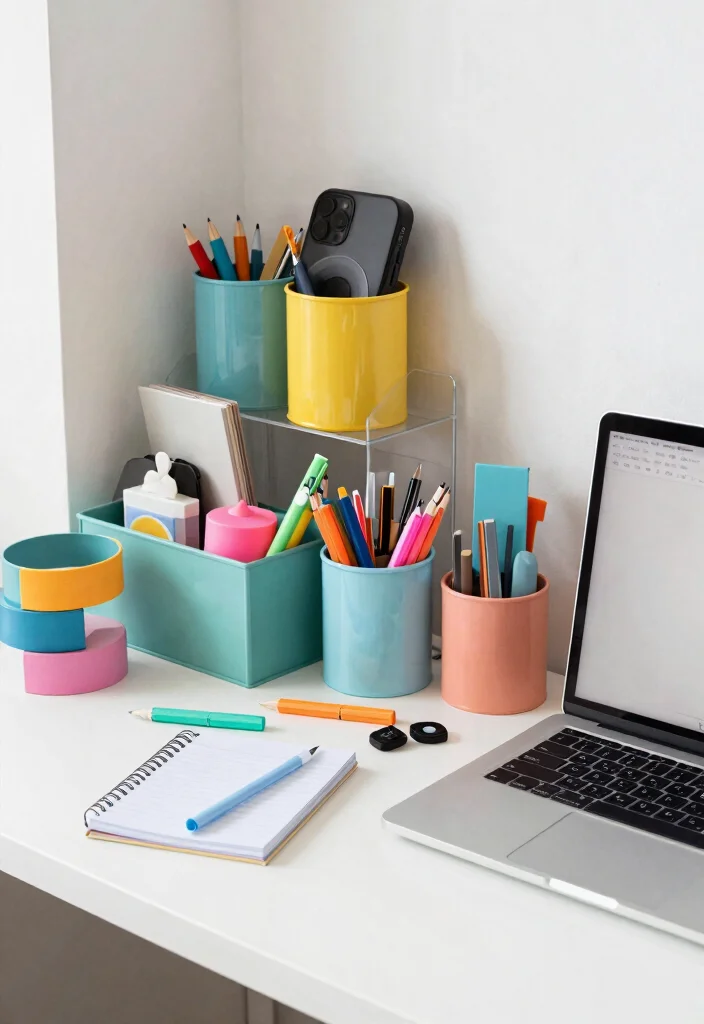
While organization is crucial, embracing a bit of chaos can also spark creativity. A flexible approach to organization allows for spontaneity in your workflow, which can lead to unique ideas. Attractive organizers or containers can keep essentials on hand without stifling creativity. The key is to maintain a balance between chaos and order that suits your style.
To create your organized chaos, consider these tips. Allow flexibility in how you arrange items, and create a system that complements your workflow without being overly structured. Colorful containers can add flair to your workspace while keeping it functional.
Here are some chaos tips to incorporate:
– Arrange items in a way that feels comfortable to you.
– Use decorative boxes to store frequently used supplies.
– Let color inspire your organization style.
This approach creates a lively environment that feels dynamic and inspiring, perfect for creative thinking.
13. Vintage Vibes
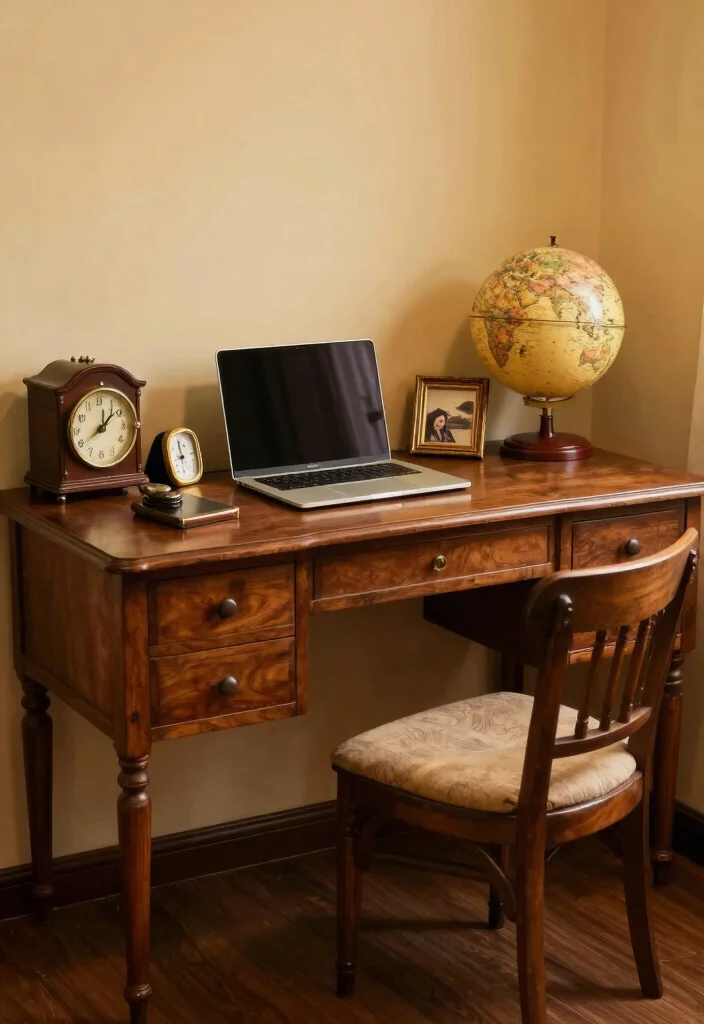
For those who appreciate nostalgia, incorporating vintage elements can add a unique character to your workspace. Seek out retro furniture pieces or decor that resonate with your personal history and style. Vintage desks and chairs not only provide a distinctive aesthetic but also offer storytelling elements that can spark conversations. This nostalgic approach often inspires creativity while you work.
To create a vintage vibe, keep these tips in mind. Mix vintage finds with modern elements for a balanced look, and use warm, muted colors to evoke a cozy feel. Antique accessories like typewriters or globes can further enhance the vintage atmosphere.
Here are some vintage tips to consider:
– Visit thrift stores for unique finds.
– Combine vintage and modern pieces for contrast.
– Use warm lighting to highlight vintage decor.
This nostalgic approach creates an inspiring workspace filled with charm and character.
14. Inspirational Quotes
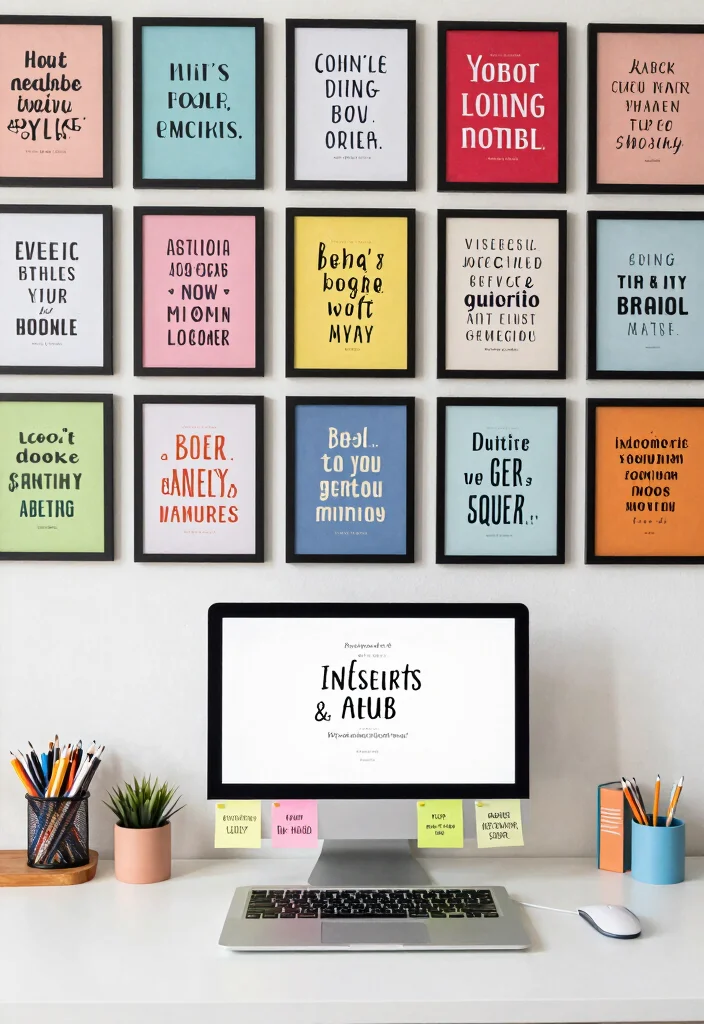
Incorporating motivational quotes into your workspace can serve as a daily reminder to stay focused and inspired. Create a wall collage featuring your favorite quotes framed or printed on colorful backgrounds for an eye-catching display. Placing quotes on your desk using sticky notes or decorative magnets can also keep inspiration close at hand. This practice can uplift your spirits during challenging coding tasks.
To effectively use quotes in your workspace, consider these tips. Regularly changing quotes keeps the inspiration fresh, while using different fonts and colors enhances visual appeal. Choose quotes that resonate with your personal goals and aspirations to keep you motivated.
Here are some quote tips to enhance your setup:
– Create a visual display of quotes that inspire you.
– Change out quotes to keep your workspace dynamic.
– Use colorful backgrounds to make quotes pop.
This setup fosters a motivational atmosphere that fuels creativity and perseverance.
15. Remote Collaboration Corner
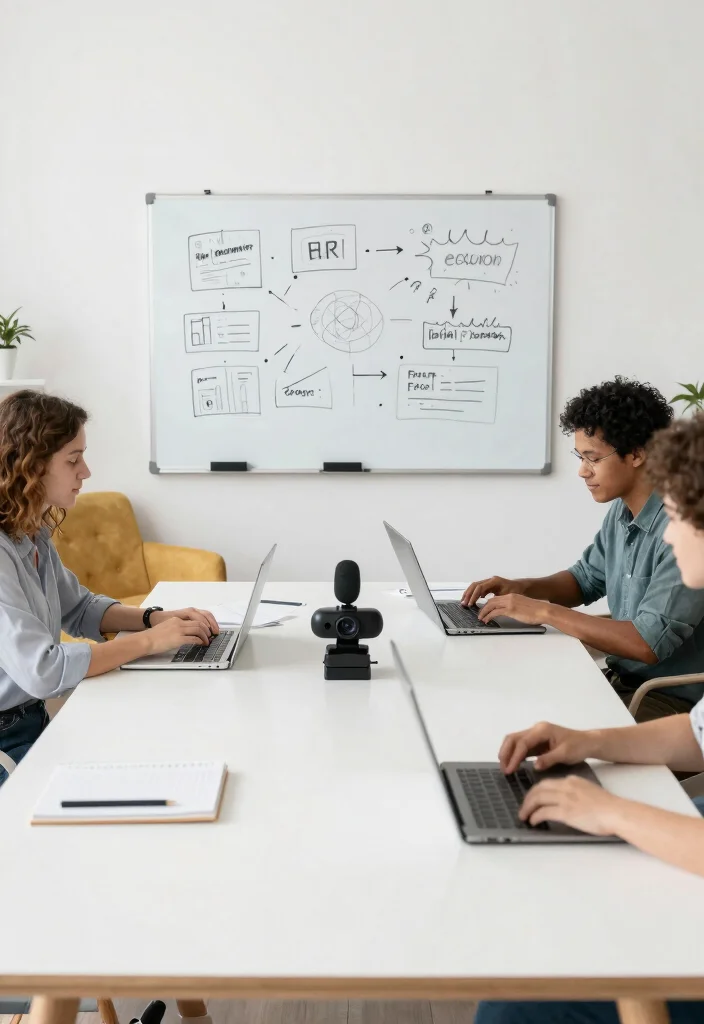
In today’s world of remote work, establishing a designated collaboration corner can enhance teamwork and creativity. Create a comfortable meeting space with a larger table, perfect for video calls or brainstorming sessions. Elements like a whiteboard or corkboard can facilitate real-time collaboration and idea sharing. Ensure your technology is optimized for screen sharing and engaging with team members.
To foster collaboration effectively, keep these tips in mind. Invest in a dedicated camera and microphone for high-quality interaction, and keep collaborative tools within easy reach for seamless sessions. Design the space to encourage open communication and teamwork while maintaining focus during individual tasks.
Here are some collaboration tips to enhance your corner:
– Set up a spacious table for group discussions.
– Use a whiteboard for visual brainstorming.
– Ensure tech tools are easily accessible for everyone.
This inclusive setup nurtures teamwork while allowing you to stay focused on personal tasks.
16. Color-Coded Organization
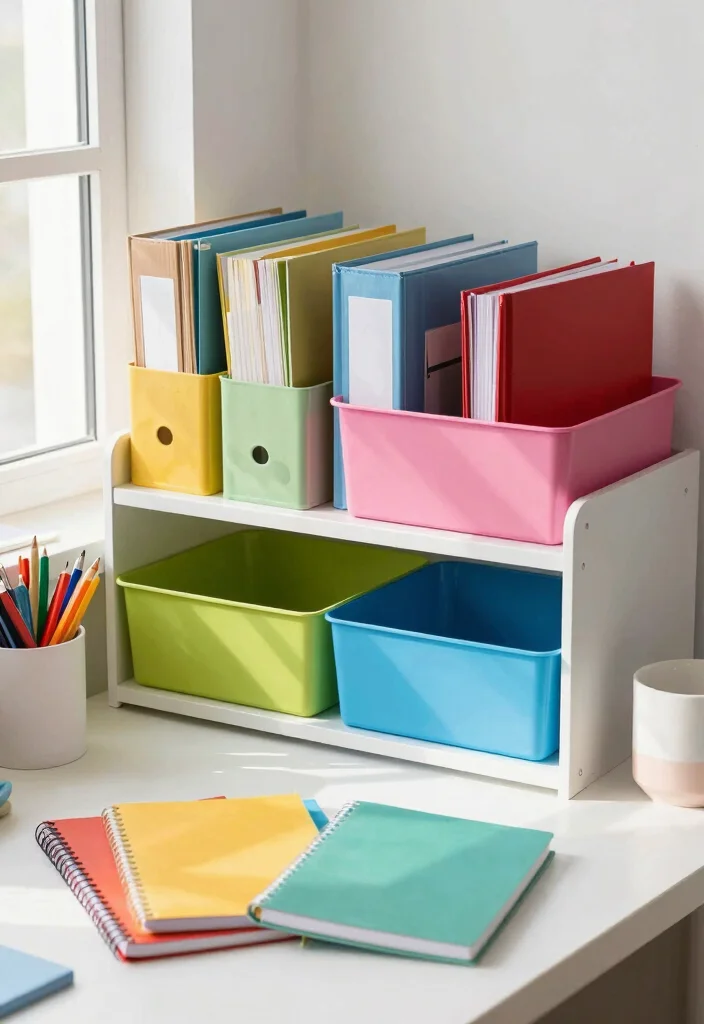
Utilizing color-coding in your workspace can streamline the organization process and enhance efficiency. Organizing files, notes, and supplies by color creates a visually appealing system that is easy to navigate. This method facilitates quick access to items, minimizing distractions when you need to find something promptly. Incorporate colorful storage bins or folders to keep your papers neatly categorized by color.
To implement color-coding effectively, follow these tips. Assign specific colors to different projects or categories to create a visual system. Use vibrant markers for easy identification and keep a color code chart visible for quick reference.
Here are some color-coding tips to consider:
– Designate colors for tasks to simplify organization.
– Use colored labels for quick identification.
– Keep your workspace visually engaging with color.
This method fosters a tidy and efficient workspace while adding a fun and vibrant visual element.
17. Themed Decor
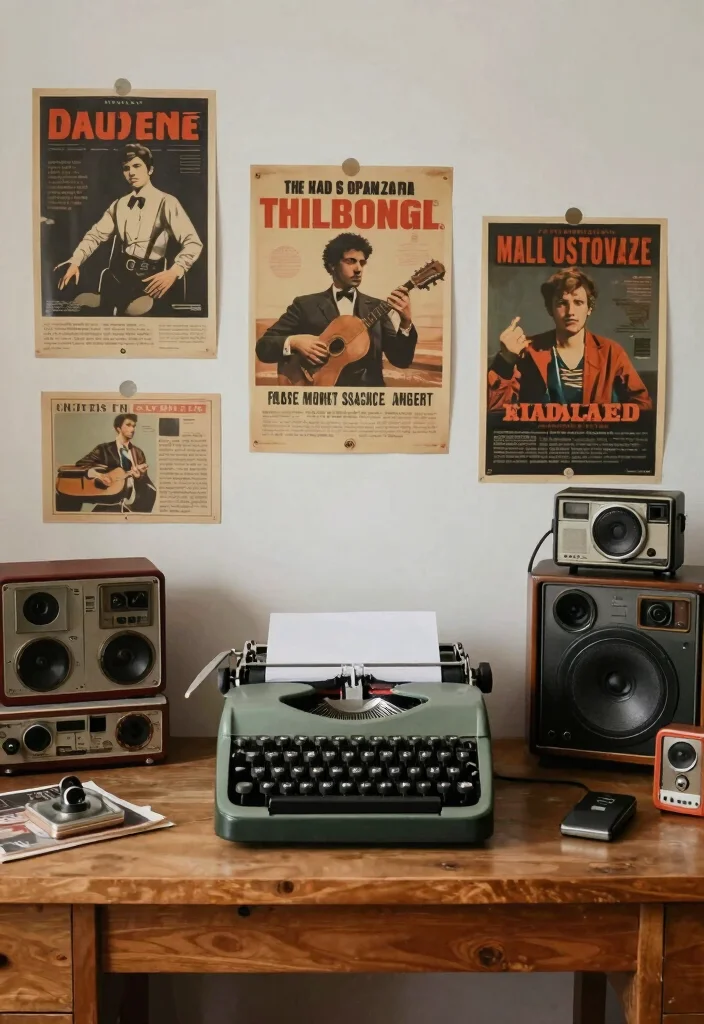
Creating a themed workspace can be an enjoyable and engaging way to enhance your coding experience. Choose a theme that resonates with your interests, whether it’s a vintage tech aesthetic or a nature-inspired setup. Incorporating various decor elements aligned with your theme, such as posters, colors, and furniture styles, can make your workspace feel personal and inviting. This unique approach allows for a more enjoyable work environment.
To effectively establish a theme, consider these tips. Research your chosen theme for inspiration and ensure cohesiveness with colors, patterns, and decor. Changing themes periodically can provide a refreshing change and keep your workspace exciting.
Here are some theming tips to enhance your space:
– Collect items that reflect your chosen theme.
– Use coordinated colors throughout your decor.
– Revamp your theme seasonally for new inspiration.
This themed setup creates an enjoyable workspace atmosphere that reflects your unique personality and style.
Conclusion
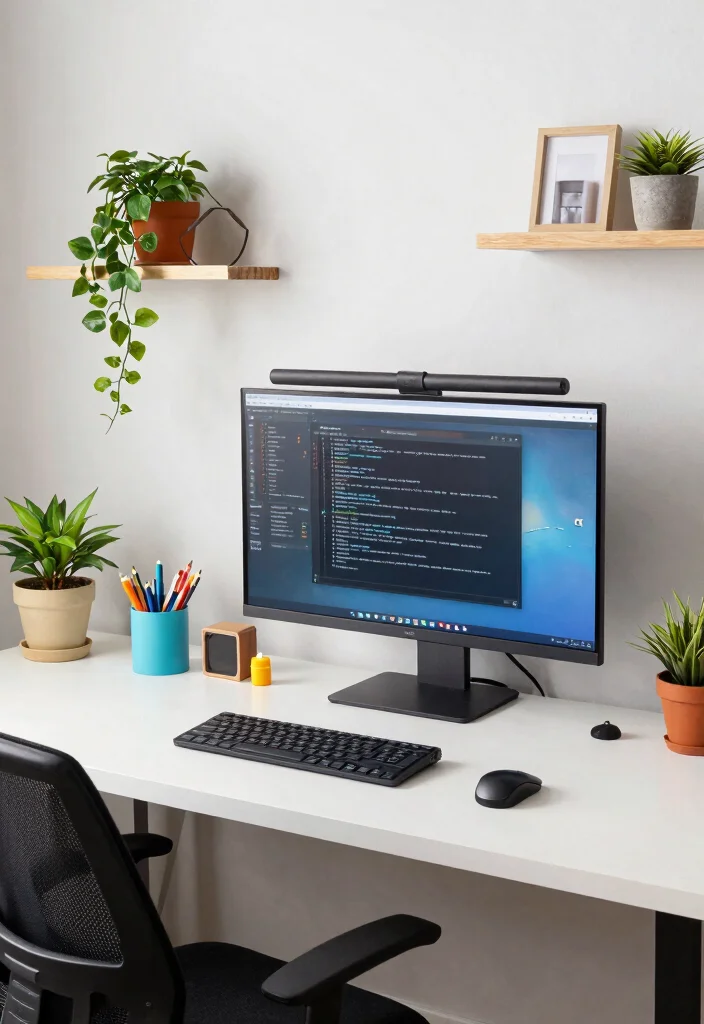
Designing a programming desk setup that enhances focus is all about personalization, comfort, and functionality.
By incorporating elements that resonate with your style and cater to your ergonomic needs, you can create a space that inspires productivity and creativity.
Experiment with different ideas from this list to find what works best for you, and feel free to adapt them to your taste.
Your workspace can truly be a reflection of who you are and how you work efficiently.
Note: We aim to provide accurate product links, but some may occasionally expire or become unavailable. If this happens, please search directly on Amazon for the product or a suitable alternative.
This post contains Amazon affiliate links, meaning we may earn a small commission if you purchase through our links, at no extra cost to you.
Frequently Asked Questions
How can I create a programming desk setup that stays focused and minimalist?
Start with the essentials: a sturdy, height-adjustable desk and a comfortable chair with good lumbar support. Place your primary monitor at eye level, about an arm’s length away, with the top of the screen near eye level. Keep the keyboard and mouse close to maintain a neutral wrist posture. Use cable management to hide cords and go wireless where you can to reduce clutter.
Choose a calm color palette and limit accessories to items you actually use. In a minimalist desk setup, every item earns its keep, so reserve space for one plant or a small photo as workspace inspiration. Finally, implement a simple end-of-day routine to reset your space and support ongoing home office organization.
What are the best ergonomic desk design adjustments for long coding sessions?
For comfort that lasts, start with a good chair: adjustable height, lumbar support, and foot placement.
Set your desk height so your elbows are about 90 degrees and your shoulders relaxed.
Position your monitor so the top line is at or slightly below eye level and about an arm’s length away.
Use a keyboard tray or an adjustable keyboard/mouse to keep wrists straight and neutral.
Consider a sit-stand option and a small anti-fatigue mat if you switch positions often.
Take a short break every 60-90 minutes to reset posture and stretch.
Finish with tidy cable management to prevent tangling and distraction.
These tweaks are practical parts of home office organization and ergonomic desk design that support productivity tips for coders.
How can I optimize home office organization to boost productivity for coders?
Start with a dedicated workspace and a simple rule: one in, one out. Clear off the desk daily to keep only the gear you actually use.
Use vertical storage, cable trays, and labeled bins so you can find things without digging.
Designate zones: a primary coding zone (monitor, keyboard, mouse) and a small break or inspiration spot (lamp, plant, or photo) to separate focus from rest.
Adopt a minimalist desk setup by keeping surfaces clear and choosing multipurpose items. Finally, schedule a quick daily tidy-up to maintain home office organization and keep your space inviting for workspace inspiration during breaks.
Which productivity tips for coders pair well with a minimalist desk setup?
Keep it practical: limit peripherals to essentials, like 1-2 monitors, a reliable keyboard and mouse, and good lighting. Use keyboard shortcuts and a consistent workflow to minimize cognitive load.
Set aside a daily plan for deep work, using time blocking and short breaks to stay sharp.
Turn off non-work notifications and keep distractions away. Add a small touch of workspace inspiration like a plant or a framed quote to maintain motivation while keeping a minimalist desk setup and programming desk setup alignment.
How can I find workspace inspiration while keeping a clean, functional programming desk setup?
Curate a mood board of workspace inspiration that matches a programming desk setup you can actually implement. Start with a calm base: a neutral desk, soft lighting, and one accent color. Add only pieces that support focus: a comfortable chair, a reliable monitor, a compact keyboard, and essential accessories. Try simple touches like a plant or a minimal wall poster to keep the space lively without clutter. Test changes over a couple of weeks to ensure you maintain home office organization and ergonomic desk design goals while staying true to your workspace inspiration.
Related Topics
programming desk setup
ergonomic design
home office organization
workspace inspiration
minimalist desk setup
productivity tips
coder workspace
focus enhancement
creative workspaces
tech setup
remote work essentials
clean desk policy